
One design. One spreadsheet. Every design you need.
Bulk Designer turns your dataset into finished artwork inside Adobe Express — every row, every ad size, images edited on the way through.
See the add-on at work
Your spreadsheet fills the design.
Each column binds to an element once. Click any row and that record lands on the Adobe Express canvas — the name, the price and the photo the row points at.
| Shoe_Name | Price | Image |
|---|---|---|
| SNEAKERS | $45.00 | 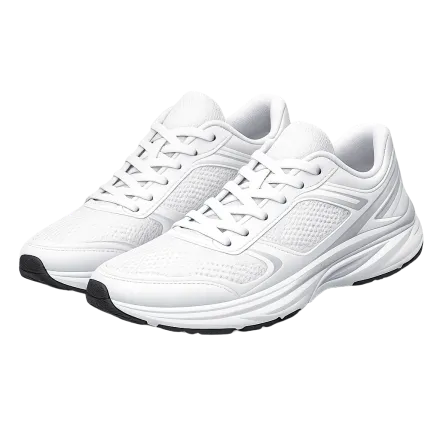 |
| TRAINERS | $55.00 | 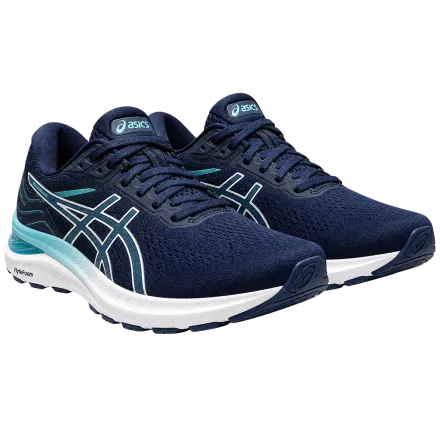 |
| CANVAS | $30.00 |  |
| OXFORDS | $85.00 |  |
| HEELS | $65.00 |  |
| BOOTS | $95.00 |  |
| LOAFERS | $70.00 |  |
| SANDALS | $25.00 |  |
| WEDGES | $50.00 |  |
| CLEATS | $60.00 | 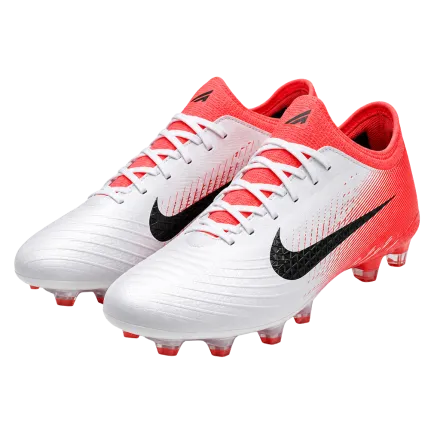 |
| HIKERS | $50.00 | 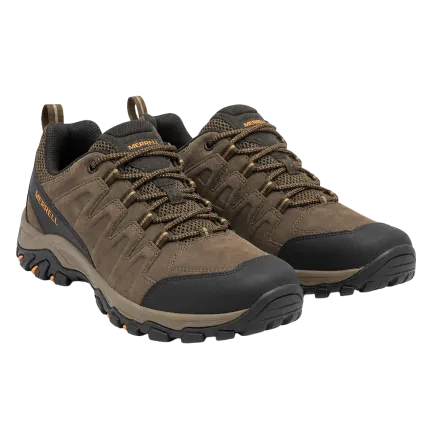 |
| SLIPPERS | $40.00 | n/a |
One design. Every row fills it — name, price and the photo the row points at.

Your data drives every design.
Not a batch image editor with a spreadsheet bolted on. The dataset is the source — it decides what every page says, which photo it carries, how that photo is edited and what sizes it ships in.
One design, one dataset, every design
Connect a spreadsheet — XLSX, CSV or a live Google Sheet — and point each element at a column. Every row becomes a finished design, and every record stays editable: change the font, colour, size or position of any mapped text on one row, or drag that row’s image into place, without disturbing the rest. Run the whole sheet, or just the rows you pick.
Every ad size, from the same dataset
Map your source page once, then add the other sizes and link them back — the mapping carries across on its own. One run produces every size for every row. No template per aspect ratio, and no folder of zip files to recombine.
Your dataset’s images, edited in batch
The photos your rows point at are auto colour-corrected, cut out, upscaled and shadowed before they ever land on a page — the whole set at once, not one at a time. Start the batch and close the window; it keeps running.
Your images, your Drive
Your image column resolves against a folder in your own cloud storage, so the files never leave it. Google Drive and Unsplash stock are free. Dropbox, OneDrive and Box come with the Teams plan, along with workspace presets a colleague can load in one click.
Share your setup with the team
Save the column mappings and layer setups you worked out once, and any teammate restores the whole session on their own machine — including after a cleared browser cache. Three seats included.
When the source is an article, not a sheet
The one input that is not a spreadsheet. Point it at a URL, a web article, a YouTube link, a PDF or plain text and it builds the dataset for you, then lays out a formatted multi-page carousel. Choose the slide count and the model — GPT, Claude or Gemini.
Two bonus tools that need no dataset.
Everything above is driven by your data. These two are not — point them at a document you already have and they just run.
Page numbers and footers
Add the page numbers and footers Express has never had, across a whole document — position, format, start page, prefix and suffix.
Image to pages
Drop a batch of images in and get one page each, sized to the image, instead of everything landing in a pile on one canvas.
Adobe Express has its own bulk create. This is what it does not do.
Your own spreadsheet, an image column per element, every ad size in one run, and the product photography corrected on the way through — set against what Adobe’s own documentation says Bulk Create supports.
See the full comparisonBulk Designer is free. Upgrade when you need scale.
Turning a spreadsheet into designs costs nothing. The paid plan is for multi-size campaigns, the AI features and working as a team.
Free
Everything you need to turn a spreadsheet into finished designs.
 Open in Adobe Express
Teams
For brands, creators and agencies running campaigns at volume.
3 seats included · $15 per additional seat / month
Start a 14-day trial| What you get | Free | Teams |
|---|---|---|
| Bulk create designs from a spreadsheet | Included on Free | Included on Teams |
| CSV, TSV, Excel and Google Sheets import | Included on Free | Included on Teams |
| Per-record editing — font, colour, size, position | Included on Free | Included on Teams |
| Google Drive as an image source | Included on Free | Included on Teams |
| Image to pages · page numbers & footers | Included on Free | Included on Teams |
| Multi-size campaigns — every ad size in one run | Not included on Free | Included on Teams |
| Visual AI batch enhancement | Not included on Free | Included on Teams |
| AI carousels from an article, PDF or URL | Not included on Free | Included on Teams |
| Dropbox, OneDrive and Box connectors | Not included on Free | Included on Teams |
| Team seats and shared workspace presets | Not included on Free | Included on Teams |
| Encrypted API key vault | Not included on Free | Included on Teams |
The AI features run on your own provider API keys — Bulk Designer does not resell credits, so you pay your provider directly at their rates. A trial comes with credits so you can try them first.
Your own private build, under your own name
The same engine, deployed only for your organisation. It runs on your own database and backend, and reads your product catalogue or data warehouse directly instead of a spreadsheet. You share it by private link or as an internal listing inside your own Adobe Express organisation, so it never appears on the public marketplace.
Every build is made to order. You decide what data it reads, what it is called, how it looks, and the steps your team follows.
Map it once.
Your whole team can load it.
Three seats by default and more when you need them. One workspace holds your saved mappings and layer setups, so nobody re-maps what a colleague already mapped. Bring your own AI keys, encrypted per workspace.
Your own AI keys, encrypted
Supply your own provider API keys, held with AES-256 workspace encryption.
One setup, shared with everyone
Invite teammates by email with a 6-digit code. Everyone loads the same saved mapping in one click.
14 days, everything unlocked
Multi-size campaigns, every cloud connector and the AI features — with AI credits included, so you can try them before setting up your own keys. We fund those credits, so a limited number of trials go out each month.
Try the Teams plan for 14 days
Tell us what your team makes and we will come back with a pass code. We read every request, and approve a limited number each month.
The questions people actually asked
Most of these came from designers and agencies describing the problem before we had built the answer.
Is Bulk Designer an Adobe Express add-on?
Yes. Bulk Designer installs from the Adobe Express add-on marketplace and opens in a panel beside your document, so everything happens inside Adobe Express. There is no separate app to download and no new account to create — it uses the Adobe Express account you already have, and everything it builds is an ordinary Express page you can keep editing by hand afterwards.
How many images can I swap per design? Just a background and a product shot?
As many as your design has image elements. Each one binds to its own column, so a layout with a product photo, a brand logo and an offer badge takes three image columns and swaps all three per row. Images can be referenced by filename — resolved against a folder in your own cloud storage — or by URL.
Can I add my own columns, like a promotional price or an offer badge?
Yes. There is no fixed or mandatory schema and no sample CSV you have to conform to. Bring the spreadsheet you already have, add whatever columns your design needs, and map each element to the column you want it to read. Columns you do not map are simply ignored.
Does it accept JPG, or only PNG?
Both. PNG and JPG are supported wherever images are used — uploaded, referenced by filename against a cloud folder, or pulled from a URL.
Can I position an image by dragging it, instead of typing in a Y value?
Yes. Version two replaces the numeric offset field with drag to position — move the image inside its frame with the mouse, and the offset is remembered per record, so one row whose subject sits higher in the photo does not force you to compromise the rest.
What happens on rows where a photo or a field is missing?
The run continues. There are two layers to this. First, you choose which rows to run — you are never forced to generate the whole sheet, so anything you would rather leave out simply is not produced. Second, for the rows you do run, a missing value is not fatal: an optional column that is empty for a given row hides its layer for that record only, so products that carry an offer badge get one and products that do not are still generated instead of stopping the batch.
How many pages can I generate in a single run?
Up to 250 pages in a single document — that is Adobe Express’s own document capacity, not a limit we impose. Bulk Designer works out the total before it runs — rows × sizes — and warns you if the output will not fit, so you can split the dataset across documents rather than discovering the ceiling halfway through. For larger datasets, splitting the spreadsheet takes seconds.
Can several designers work in the same workspace?
A workspace stores your mapping configurations, dataset schemas and layer setups, and any seat can load the whole setup on any machine in one click, so nobody re-maps what a colleague already mapped. Three seats are included by default and more are available. To be clear about what this is: it is a saved-preset handoff, not simultaneous multi-cursor editing — two people do not edit the same run at the same time.
Do I need my own API keys for the AI features?
Yes. Bulk Designer does not resell or meter AI credits — you connect your own provider keys and pay your provider directly for what you use, at their rates rather than ours with a margin on top. Your workspace holds them in an encrypted vault so a team shares one set of keys. The exception is a trial, which comes with credits so you can try the AI features before committing to anything.
What can I do without paying?
More than most people expect. Standard bulk create is free — connect a spreadsheet, map your elements and generate a design for every row, at one size. Importing is free in every format we support (CSV, TSV, Excel and Google Sheets), and Google Drive is free as an image source. So are the two standalone utilities, image to pages and page numbers & footers.
The paid Teams plan adds multi-size campaigns, all of the AI features (Visual AI batch enhancement and AI carousels), the Dropbox, OneDrive and Box connectors, and team seats, shared presets and the key vault.